
Trial and licence
Here you learn what the trial is, what keeps working after it, and how to get a licence.
The trial#
A new organization gets a 14-day trial with everything turned on. While it runs, a line at the top of the admin says how many days are left.
After the trial#
When the trial ends without a licence, publishing turns off for the organization:
- Documents and the theme cannot be published.
- New images cannot be uploaded to the media library.
Everything else works as before:
- You can open and edit documents; drafts are saved.
- Preview, history, languages and the data dictionary work.
- What is already published stays published: the app keeps showing it, and the prototype links keep working.
- Nothing is deleted.
In the editor the Publish button is grey, and the bar at the bottom says why.
The same happens when a licence expires.
The Licence page#
In the admin, open Licence in the menu of the organization. The page is read-only and shows:
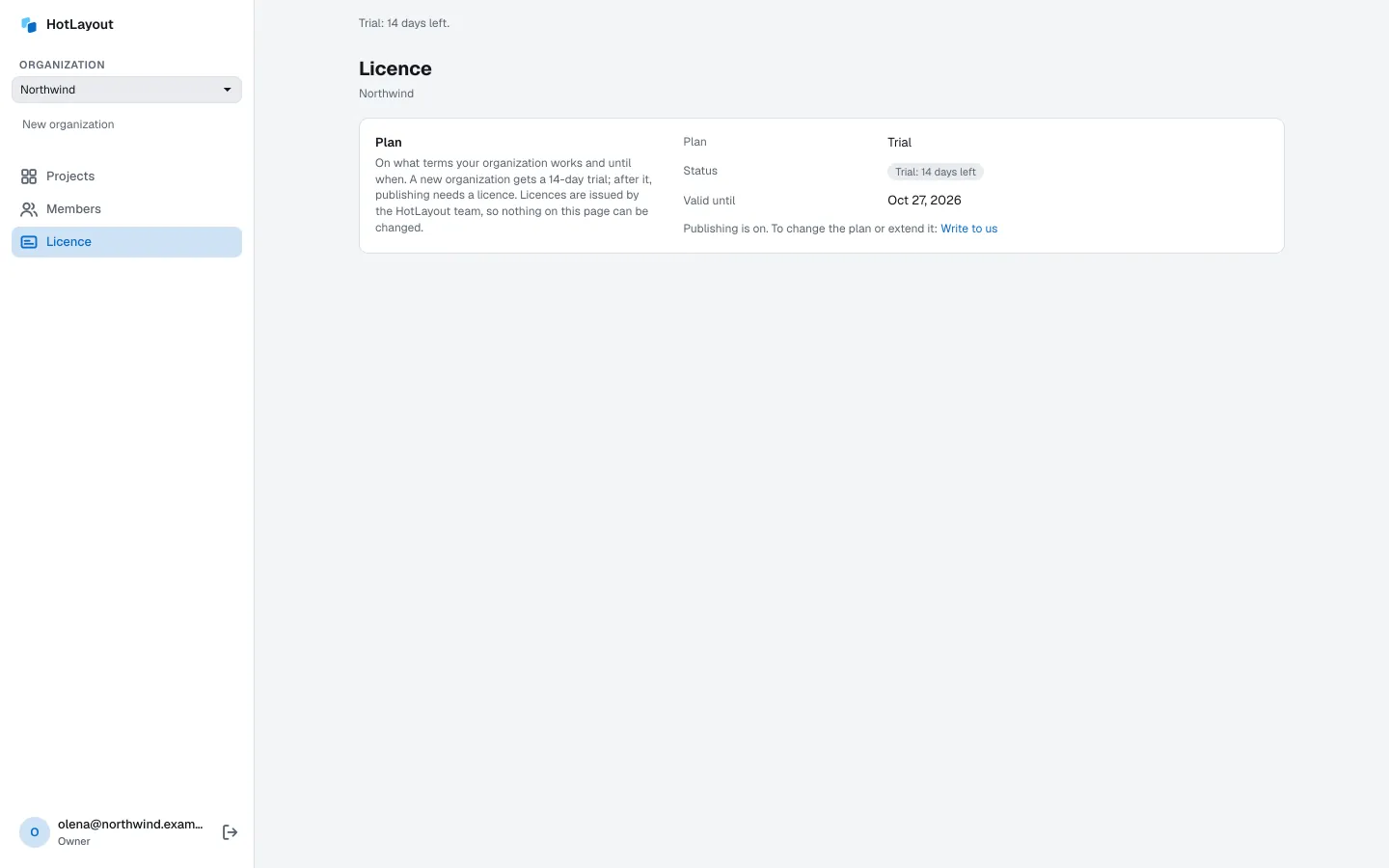
- Plan — Trial or the plan of your licence.
- Status — how many days are left, or that the plan has ended.
- Valid until — the date.
- For a licence — how many applications and how many people in the editor it covers, and whether it includes the activity log: the full log kept for 7 years, with export. See Activity log.
Every member of the organization can see this page.
Get or extend a licence#
Licences are issued by the HotLayout team. Press Write to us on the Licence page, or write to contact@hotlayout.com and name your organization. Once the licence is issued, publishing turns back on — reload the page.